I have to admit, PHP is not my favourite, but such powerful language sometimes really amazes me. Two days ago, I found a bypass of the directive open_basedir (or at least, I never heard about that before and found no previous report of this bug, see: php-openbasedir-bypass), and today I was still trying to find other tricks.
PHP configurations are set in php.ini files. Depending on how PHP is configured or used, the loaded ini files are different. For instance, running PHP-cli and running a PHP web app won’t make use of the same. The way how the directives in php.ini can be set is ruled by different modes (from the documentation):
PHP_INI_USER: Entry can be set in user scripts (like with ini_set()) or in the Windows registry. Entry can be set in .user.iniPHP_INI_PERDIR: Entry can be set in php.ini, .htaccess, httpd.conf or .user.iniPHP_INI_SYSTEM: Entry can be set in php.ini or httpd.confPHP_INI_ALL: Entry can be set anywhere
The two first entries are quite interesting: they can be set in .user.ini files, which are per-directory files that can override system-wide settings. As stated in the documentation:
.user.ini files 
PHP includes support for configuration INI files on a per-directory basis. These files are processed only by the CGI/FastCGI SAPI. This functionality obsoletes the PECL htscanner extension. If you are running PHP as Apache module, use .htaccess files for the same effect.
In addition to the main php.ini file, PHP scans for INI files in each directory, starting with the directory of the requested PHP file, and working its way up to the current document root (as set in $_SERVER[‘DOCUMENT_ROOT’]). In case the PHP file is outside the document root, only its directory is scanned.
Only INI settings with the modes PHP_INI_PERDIR and PHP_INI_USER will be recognized in .user.ini-style INI files.
Two new INI directives, user_ini.filename and user_ini.cache_ttl control the use of user INI files.
The documentation is quite misleading there. I first understood that only directives marked with PHP_INI_USER and PHP_IN_PERDIR could be set in .user.ini. Therefore, PHP_INI_ALL would not be interesting. However, it should be represented as follows (source: zend_ini.h):
1 |
Instead of being an enum, these markers are actually flags, which means that any value for which at least 0b00000001 = 1 = PHP_INI_USER or 0b00000010 = 2 = PHP_INI_PERDIR is set could be defined in a local .user.ini (ZEND_* is the same as PHP_*).
So now, let’s suppose that an innocent user could choose as a profile picture a file named .user.ini, and that the server takes it into account… (it supposes that the server interprets a PHP file somewhere in the web folder, looks for a suitable .user.ini, and eventually finds the evil one. According to the doc, it is possible if files are processed by CGI/FastCGI).
I decided to review the PHP directives that had the bit PHP_INI_USER or PHP_INI_PERDIR set, and found that some dangerous ones could lead to remote code/command execution if they were set by a bad actor.
1. mail.log
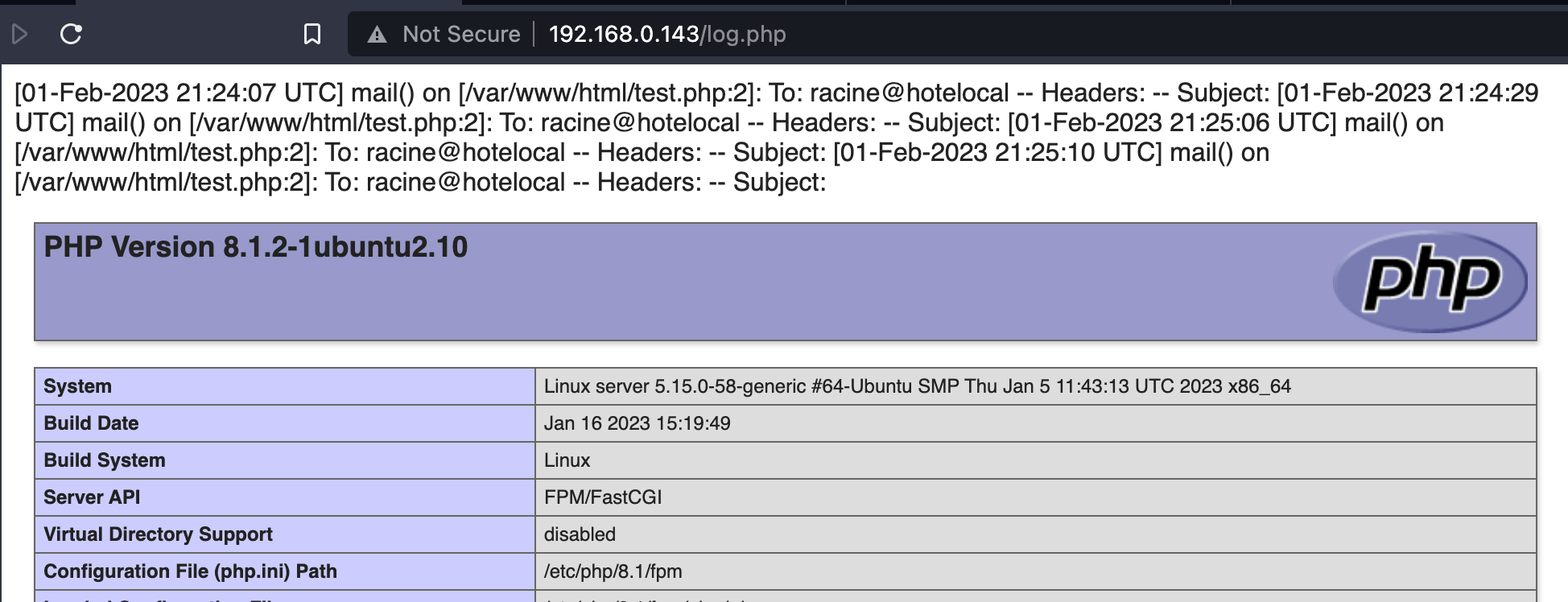
This directive takes a path as its value. The ability to manipulate it could lead to arbitrary file write:
1 | mail.log=/var/www/html/log.php |
If the routine mail is called with user-controlled data, the latter would end up in the log.php file. Let’s suppose that the user can submit a contact form where their inputs are logged, and that the subject is something like <?php phpinfo();?> (well, I know the is not sanitised, but still)
1 | mail('racine@hotelocal', $_GET['subject'], $message); |
it would create a log.php with the output of the routine:
2. error.log
This one is similar, and once again, exploitable with a bit of luck. Errors can be logged in a custom file, and the directive log_errors must also be set to 1:
1 | error_log=/var/www/html/log.php |
If the application includes user inputs in its error messages without sanitisation, it could end up in a PHP file.
3. auto_append_file / auto_prepend_file
These two guys work the same way, and are probably the most powerful. According to the documentation, it can be used to load additional files before or after the main one:
Specifies the name of a file that is automatically parsed after the main file. The file is included as if it was called with the require function, so include_path is used.
The special value none disables auto-appending.
Looks like a local file inclusion, huh ? So what if we instruct the server to load our avatar.png containing a PHP payload ?
1 | $ echo '<?php phpinfo();?>' >> avatar.png |
Let’s now upload these two files (same folder as test.php in this case), and admire the result:
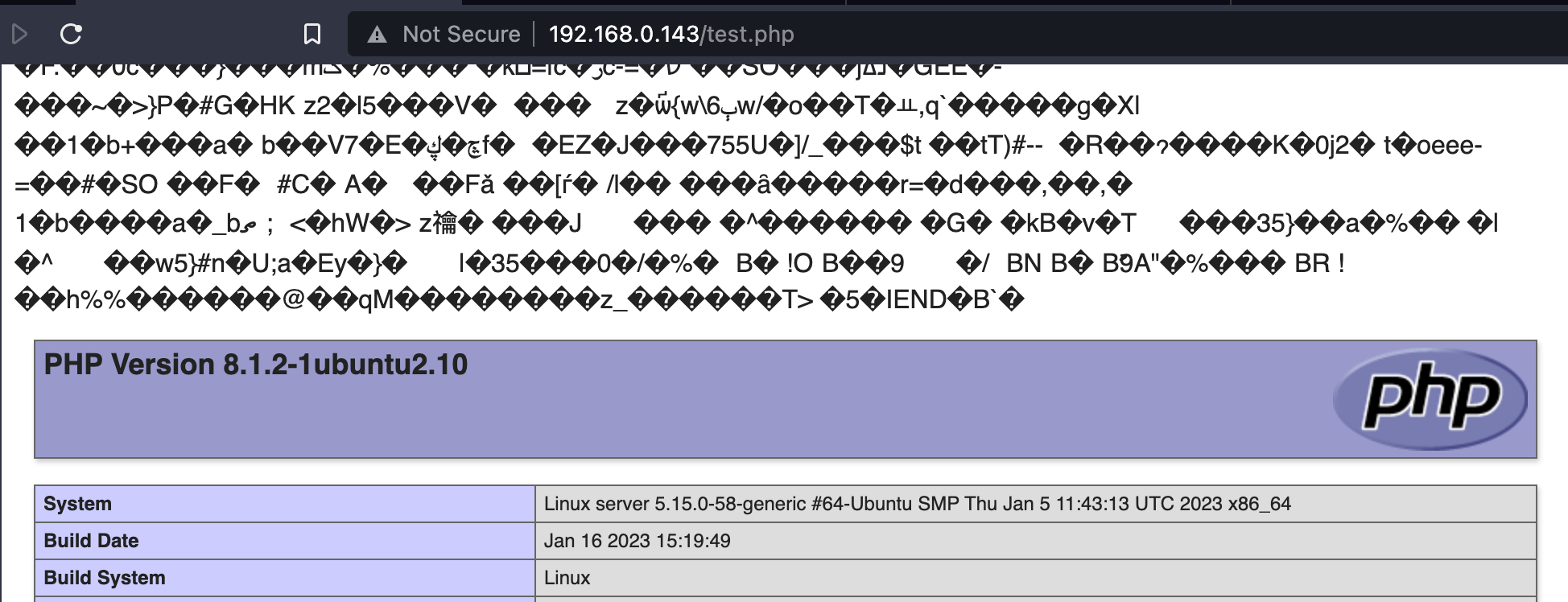
The garbage comes the fact that a PNG image was included, not properly rendered, but the code is still executed (:
The directive auto_prepend_file works exactly the same way
4. output_handler (and zlib.output_handler)
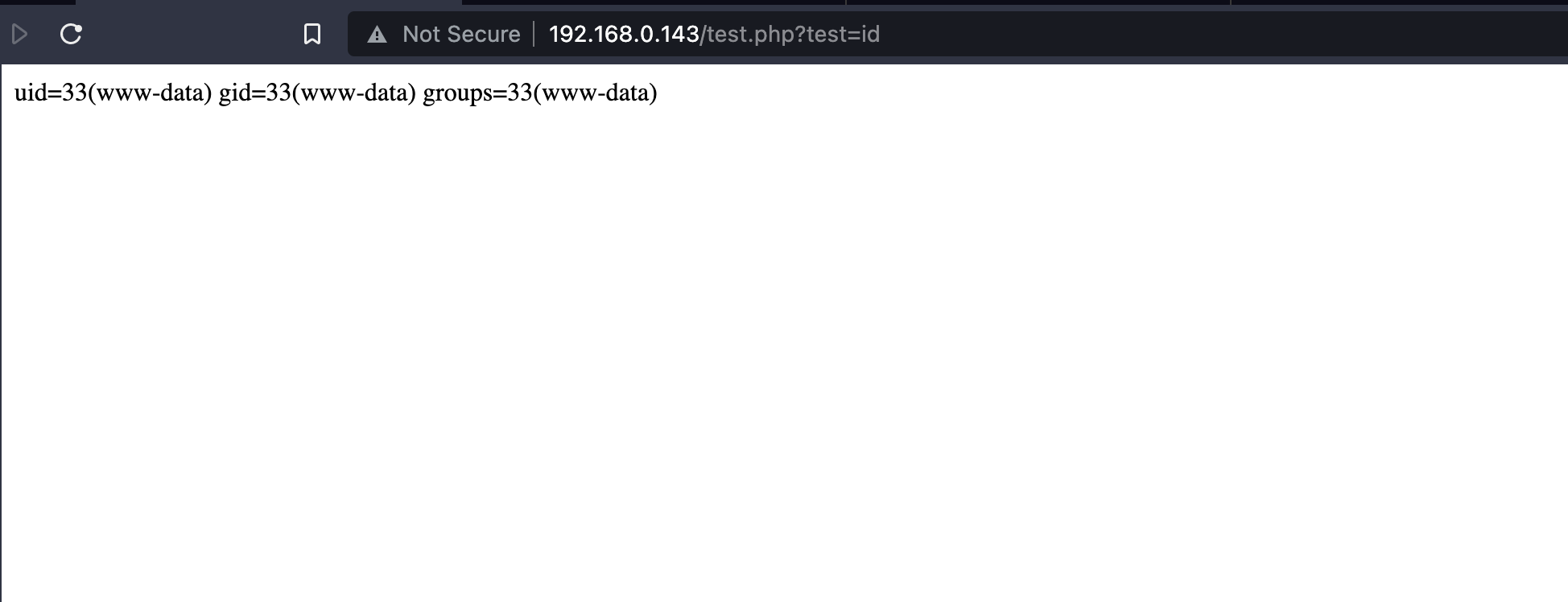
This one is also really interesting (documentation), because it can be used to redirect all the output to a dedicated routine before being returned to the client. If an endpoint gives back us some input, we could use it to pass it as argument to a routine. As an example, let’s take this really short snippet consuming our input, escaping, and returning it:
1 |
|
If the directive is as follows, it means that our input will be passed to the exec routine (and as long as it does not contain HTML entities, it will be left unchanged):
1 | output_handler=exec |
For some reasons, some routines like system or passthru fail because they expect additional arguments. With exec, only the command is sufficient, and works like a charm !
The variation zlib.output_handler is really similar, but works if the other directive zlib.output_compression=On is set.
5. include_path
This directive works like the PATH environment variable. It contains paths separated by colons (':'), and whenever a file is included, all paths are sequentially browsed to retrieve it. Being able to modify the include_path could mean that if an attacker is able to prioritise their scripts instead of legitimate ones, unexpected code can be executed. For example, let’s suppose that we have a call to include('config.php'); in index.php and this file structure:
1 | /var/www/html |
If include_path is set to .:/var/www/html/inc/:/usr/lib/pear/php, then the first config.php would be found. However, the following configuration would find the second one first: /var/www/html/uploads/:/var/www/html:/usr/lib/pear/php. However, it is worth keeping in mind two things:
- To begin with, if the path to the included file is either absolute or starts with
./or../, theinclude_pathwill be ignored (seeincluderoutine doc); - Moreover, exploiting this would suppose that the attacker has the ability to upload PHP files, and knows their paths.
6. Write primitive with session.save_path
Maybe not exploitable if individually considered (and still quite unlikely), but the session.save_path could come as a file-write primitive. PHP stores sessions’ info in serialised files. For instance, having the folloging code:
1 |
|
would create a sess_* file like this:
1 | test|s:8:"somedata"; |
If the content is somehow under attacker’s control, they could then alter the session.save_path by making it point to a known place, and have a kind of write-what-where. Since the file names are random, modifying this path could potentially make an attacker able to enumerate them. Let’s suppose they have an LFI, if all conditions are met, it’s boom.
7. Making unserialsation even more unsafe
The directive unserialize_callback_func can also be set, coming as a fallback function when unserialize() attempts to use an undefined class. Using unserialize with non-trusted inputs is already a bad idea. Using it with an attacker-controlled fallback function is even worst.
But it requires an unsafe use of unserialize and a suitable callback function. Sigh
Conclusion
It is worth noting here that PHP .user.ini files are frequently reloaded, avoiding the need to reboot the server. The directive instructing the server how long it should cache .user.ini files is user_ini.cache_ttl. The latter cannot be changed in .user.ini because it has the mode PHP_INI_SYSTEM, but its default value is 300, meaning that files are reloaded every 5 minutes.
A suitable attack scenario could be as follows: an attacker faces a PHP web app running with CGI/FastCGI, for which they can upload files. Some measures are in place to prevent from PHP-like files (php7, phtml, and friends). However, they can upload a .user.ini, and a picture embedding their PHP payload. They would be put in a folder where the server would eventually find them while looking for suitable .user.ini. If the .user.ini contains an allow_append_file or allow_prepend_file directive referring to the picture, the attacker gains an LFI, and probably an RCE.